Stamp a ma jig tutorial
I’m baaaack….and a couple of tutorials here!
First up is the Stamp-a-ma-jig – one of my favourite stamping tools. Trust me, I’ve tried other stamp positioners and this is the best one! I’m still using my original samj from Stampin’ Up! – it’s purple. The current version is the same but is in black.
This tool is great for precise placement of stamped images or quick fixes. You know, when you stamp and some of the image doesn’t turn out….the samj will help you restamp exactly over top of your original image & saving that piece of cardstock from the recycle bin.
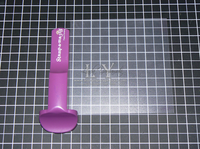
The samj consists of the positioner and the acrylic sheet. To use; position the sheet snugly in the corner of the positioner. The set up here is great for right handed stampers. Lefties could position the acrylic sheet on the other side. You can also put the positioner at the “top” corner of the sheet. It’s your preference, just be consistent.
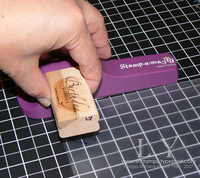
(OK try not to notice that the sheet is not in perfect position, it’s very hard to position & photograph with only 2 hands!! LOL)
Next step – ink up the stamp, and place it snugly in the upper corner of the positioner – and slide it straight down….
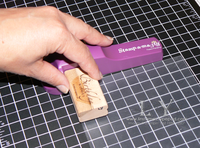
until it makes contact with the acrylic sheet.
Normally, I’d use one hand to hold the positioner in place, and the other hand to slide the stamp, but again, I only have 2 hands, and one of them was holding the camera!!
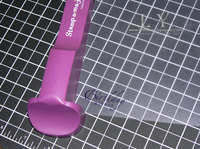
Here’s the image on the acrylic sheet.
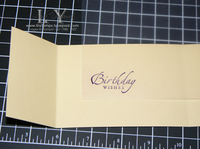
Next step is to take the acrylic sheet & position it so the image is exactly where you want it to be on your cardstock.
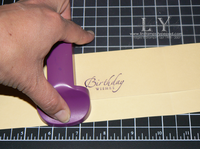
Holding the acrylic sheet in place, slide the positioner up to the corner of the acrylic. (again, more easily accomplished with two hands!! LOL)
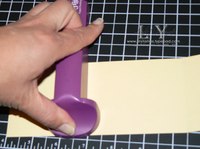
Remove the acrylic sheet, leaving the positioner in place.
Ink up your stamp
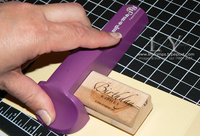
Line up the stamp in the upper corner & slide down until you make contact with the cardstock.
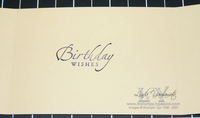
et voila!