Need to catch up on your scrapbooking? Want to get scrapbooking but don't know where to start? I've got a solution for you! Come to my "Scrapbook in a Day" class! You can attend this class and walk away with completed pages ready for your photos! You will receive the supplies and instructions to create twenty 8" x 8" pages with a Rich Razzleberry colour scheme for $45 – throw in an 8×8 scrapbook of your choice for a total of $70! We will be using portions of the Razzleberry Splash Simply Scrappin' Kit. The class will be held Sunday, September 15th at 1pm here in Burlington. Please sign up on the class and events page here.In order to ensure I have all the supplies required, registration will close SUNDAY, SEPTEMBER 8th. If you have any questions, or would prefer to pay by cheque or cash, please contact me. Payment is due at time of registration. Thanks!
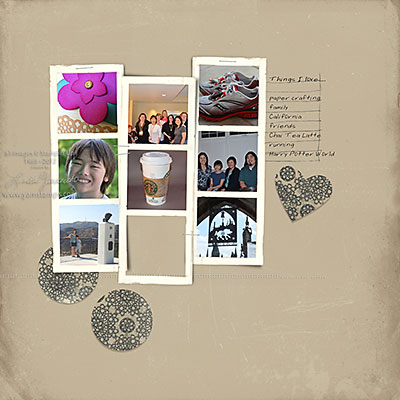
This is another My Digital Studio template page I created for my CH Morning Live appearance. Do I admit that I literally created most of the projects you saw on the show in a couple of hours the night before? (hmmm I guess I just did! ROFLOL)
Anyway, love this 'grungy' template (from the aptly named "Downtown Grunge Photobook Template") and frames. I dragged and dropped the images into the photo boxes to create this "Things I Love" page. I added the heart shaped punch to the layout to go with my theme and moved the circular punches around a little bit. The font is actually my own printing! MDS uses whatever fonts you already have installed in your computer. I generated this font at Your Fonts so now I am able to make my digital pages even more "mine".
I'll be sharing more of the projects from my appearance over the next while, so please be sure to come back & check them out!
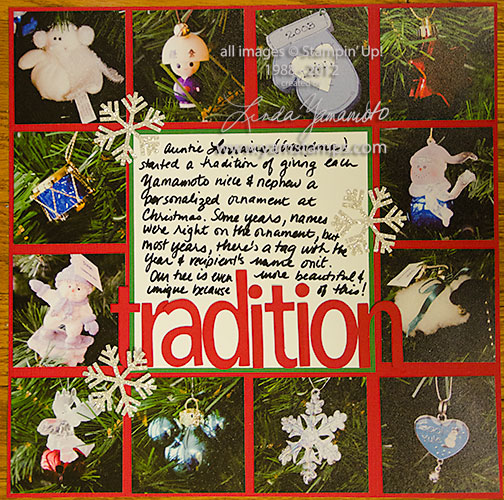
One more page that I shared on TV. This is a "traditional" scrapbook page – done with a 12" x 12" sheet of cardstock and photos. I like graphic layouts that are symmetrical….can you tell?? For one – they're easy to create! This page highlights the tradition that my mother has of giving her _great_ nieces & nephews an ornament at Christmas. (I have to correct my journaling on the page, as I was informed that I only wrote "nieces & nephews" – have to get the generational context correct).
Is one of your resolutions to get scrapbooking?! Consider attending my scrapbook class on Friday, January 13th at 7pm here in Burlington. It will be a good luck charm, I'm sure! We'll create a 2 page layout that evening, and you can add your photos at home. Cost is $25 and includes all your supplies, including adhesive. I'll have everything prepped & ready for you! All you have to do is RSVP. Get those memories down on cardstock before the details are forgotten!
I am so lucky to be able to work with the fantastic people at CH Morning Live on a fairly regular basis! I was invited to appear to share ideas about saving those holiday memories.
Thanks once again to my friend and tech guy Tom for capturing the video for me! If you can't see the link above view the video on youtube HERE.
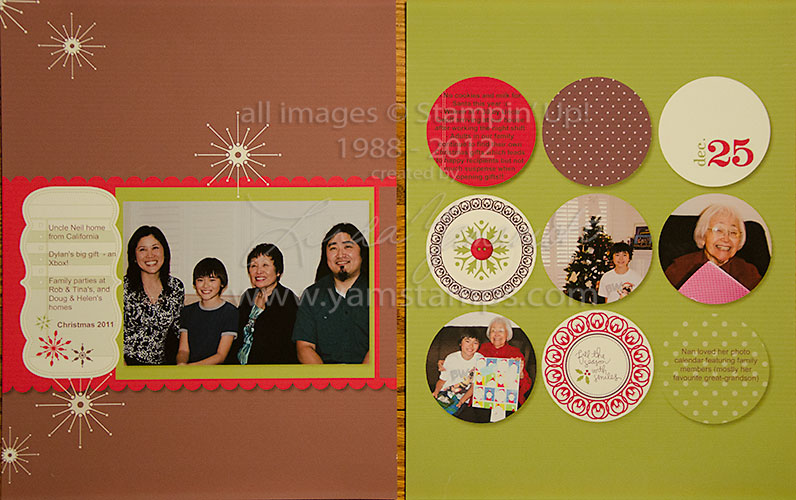
These are pages that I shared on CH Morning Live on Monday. I used My Digital Studio and the Christmas Jingle kit templates. I love templates because they make my scrapbooking even faster. I simply chose the photos I wanted to use, and then drag & dropped them into the template. I could re-size as I needed, and then added in my text and printed! These pages coordinate with one another because the kit uses all the same colours, so you can mix up the order of pages or just use selected ones. Half of my challenge with scrapbooking is getting started, so here, most of the work is done for me! I simply add my personal touches and then it's finished. The memories and stories are recorded, the photos are added, and it's there for all to enjoy. Much better than having those photos sitting in the hard drive (or on the camera's memory card) and trying to keep all those good stories in my head – because let's face it, MY memory is not getting any better…..
Don't forget to "like" the Yamstamps facebook page to get your free video AND your free digital download (see the link on the wall) before January 10th.
Meaning I've actually scrapbooked them, not that I've ditched them already LOL.
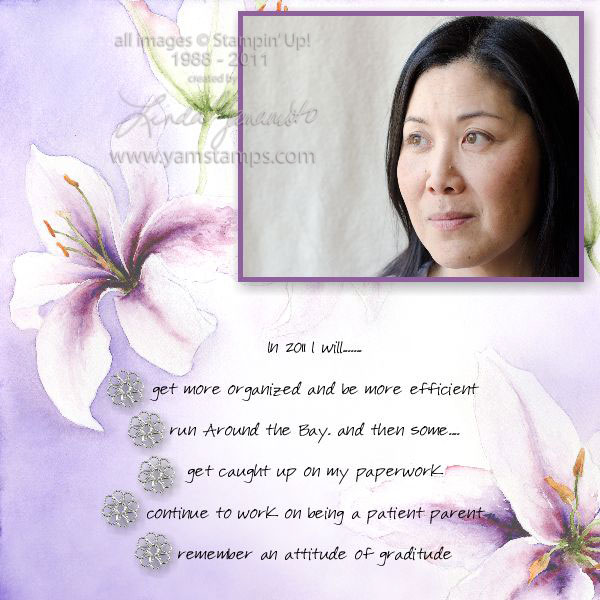
I used My Digital Studio to create this simple layout. Since I shoot with a digital camera, most of my photos end up staying on the computer (something I'm trying to change…). My Digital Studio makes my scrapbooking easy and do-able.
These are a few of my resolutions for 2011, and I combined them with a self portrait of myself. I'm participating in a "photo a week" challenge group, so this was a good way to incorporate a recent photo and recent thoughts. I used the Summertime Splendor Designer Series Paper download and the filigree brads. The DSP is beautiful on its own, so I decided to highlight the paper and not add to much else, other than a border around the photo and some drop shadows for dimension. This page took me about 10 minutes, tops. I love how I can whip out a page quickly…and save the project so that if I want to go back and "tweak" it, I can! Eventually I'll print it out and add it to my traditional scrapbook as well.
If you have any questions about My Digital Studio or digital scrapbooking, feel free to contact me or leave a comment – I'll do my best to answer!

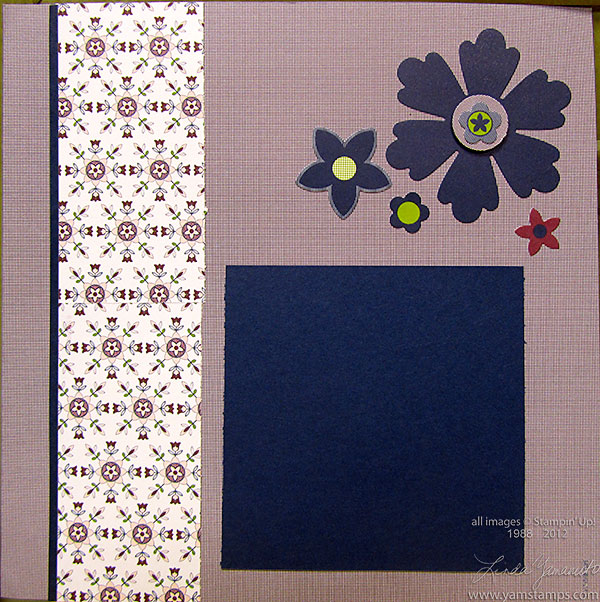 Need to catch up on your scrapbooking? Want to get scrapbooking but don't know where to start? I've got a solution for you! Come to my "Scrapbook in a Day" class! You can attend this class and walk away with completed pages ready for your photos! You will receive the supplies and instructions to create twenty 8" x 8" pages with a Rich Razzleberry colour scheme for $45 – throw in an 8×8 scrapbook of your choice for a total of $70! We will be using portions of the Razzleberry Splash Simply Scrappin' Kit. The class will be held Sunday, September 15th at 1pm here in Burlington. Please sign up on the class and events page here. In order to ensure I have all the supplies required, registration will close SUNDAY, SEPTEMBER 8th. If you have any questions, or would prefer to pay by cheque or cash, please contact me. Payment is due at time of registration. Thanks!