Oops! I just realized that I hadn’t posted the video from my CHCH TV Morning Live appearance here! I did manage to get it onto the YamStamps Youtube channel….so I’m catching up now! I am always grateful when I’m invited back to be on the Morning Live show – the hosts and crew are fantastic to work with, and we always have fun on air. This past time, I shared some handmade Christmas card ideas – including a fun (and fairly simple to recreate) 3D card. If you have any questions, leave me a message in the comments area below, or contact me.
Happy World Cardmaking Day! Today we celebrate the art and craft of cardmaking, which of course leads (hopefully!!) to card sending. It used to be that we were thrilled to get an email and found things delivered by post very common – it’s definitely not that way anymore – it seems we are innundated by emails, and it’s thrilling to receive something in the mail (especially if it’s NOT in a window envelope…LOL).
I thought I’d do a quick video tutorial on basic cuts and layers for cardmaking that you can apply to any project. I must also admit, it’s a pretty “quick and dirty” video, both figuratively and literally! It was shot quickly…and if you watch it, you’ll see the “dirty” part (hint…I shot this video after card class and we used black ink at one point…check out my right hand?! LOL). Part of the reason it’s quick and dirty is also because I’ve been working on the not as quick and much prettier videos for my next online card class, which should be up and ready to go by the end of the weekend – so come back to see more information about that!!
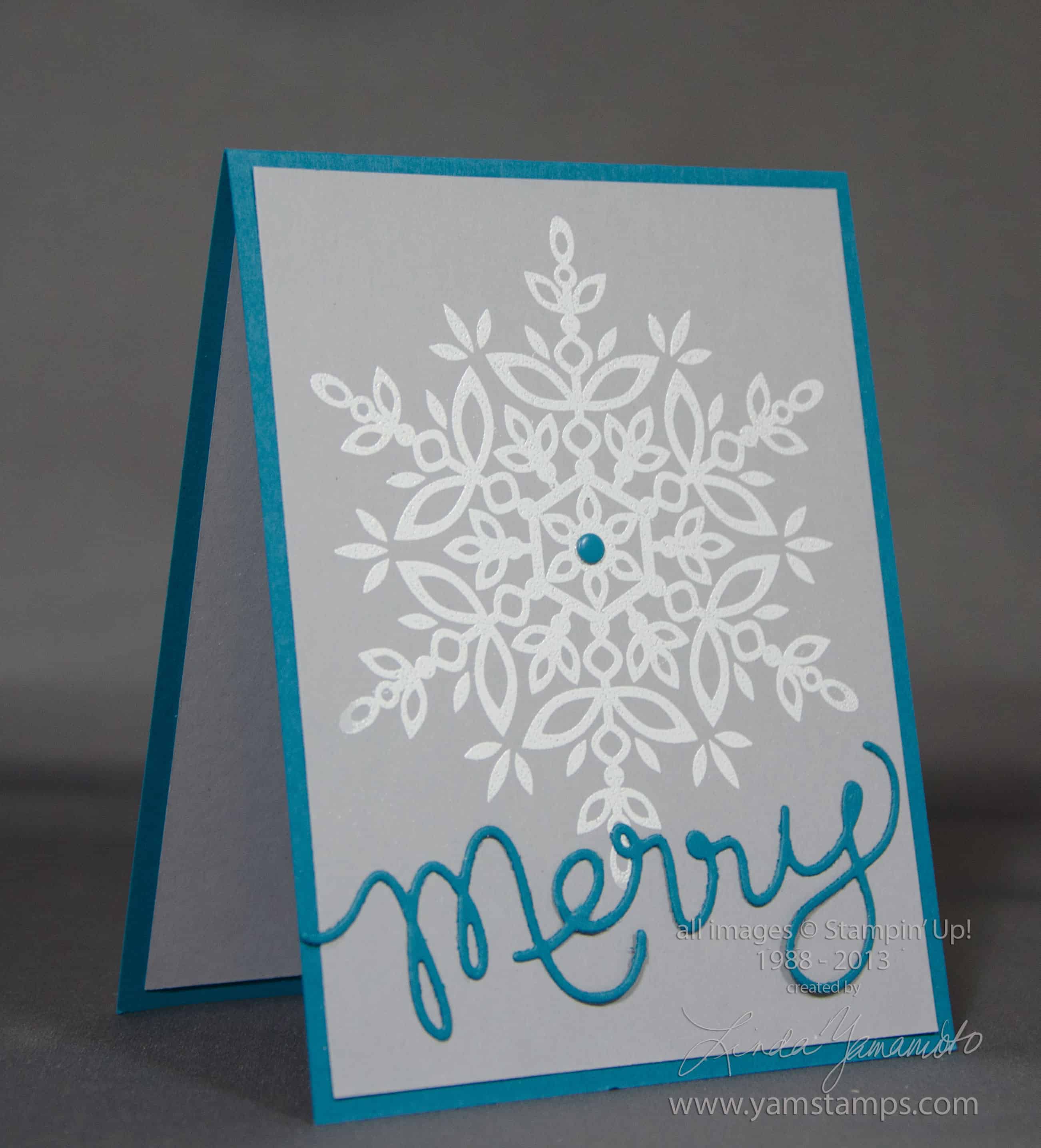
Never too early to start prepping those holiday cards. We created this card during Stampers Club this month. The large snowflake from Stampin’ Up!’s Festive Flurry set is heat embossed in white on Smoky Slate cardstock (love this new colour), and the Expressions Thinlit “Merry” adds the sentiment. An Island Indigo Candy Dot ties it together. I really like this card, but I have to admit that initially during Club it was driving me crazy…until I figured out a hint – and I’ll share it here.
Expressions Thinlits Hints
1) Use the Magnetic Platform. I looooooove this tool. You don’t need to have brand new, pristine cutting plates, but you do need to have ones that are fairly straight – not warped, in order for the magnet to be able to hold the metal framelit or thinlit in place.
2) Use a layer (or two) of waxed paper between your cardstock and thinlit if you’re having trouble getting the cardstock to “release”.
3) Use your paper piercer tool to poke gently through the little holes in the thinlit to push your diecut out if you’re having trouble getting the cardstock to “release”
4) Use an extra piece of cardstock on top of the cutting plate as a “shim” to add extra pressure along the thinlit
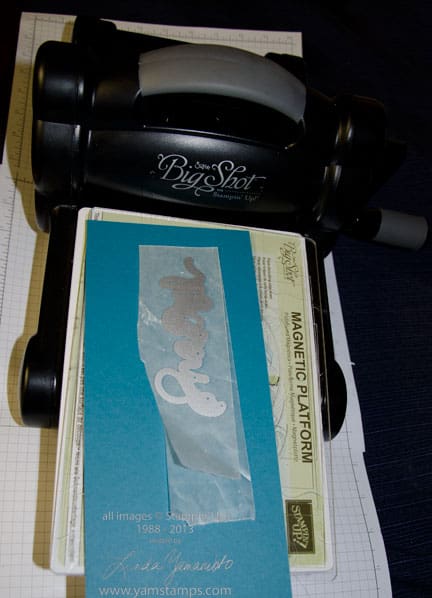
5) Run the thinlit through lengthwise rather than widthwise!!! This is the hint we discovered at Club night. If you run the word through horizontally, you may have uneven pressure across the thinlit. In my case, the centre of the thinlit wasn’t cutting as cleanly as the edges. It may be that my cutting plates were slightly warped or perhaps because my Big Shot has been used and abused since I got it…LOL. Anyway, check out the photo below for the visual as to the set up (the top cutting plate is missing in the photo just so you can see it better).Obviously with some of the longer words (i.e. “thankful”) it’s a given, but with the word “merry” or “love”…not so much!
If you have any tips or tricks you’d like to share about using the thinlits or Big Shot, please leave a comment below, or on my facebook page so we can all learn!
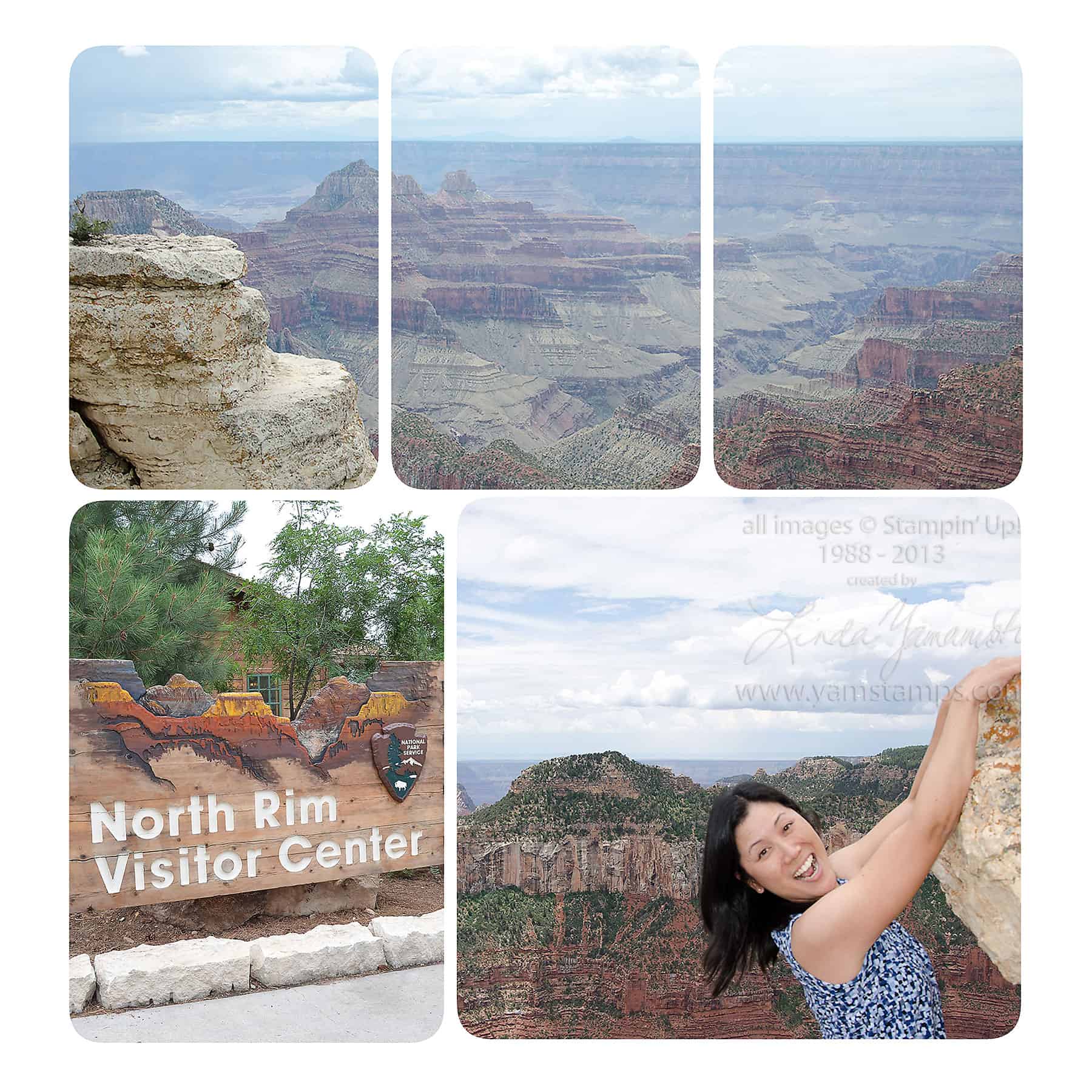
Remember this page? I had promised you a tutorial on how to do the photo technique at the top of this page – here it is – the video tutorial I’d promised you about how to spread one photo across a number of photo blocks in MDS. This is a fun and EASY technique to add a little twist to your photo pages. Time to get those digital photos onto a digital page and share online – or print it out and share with your friends and family!
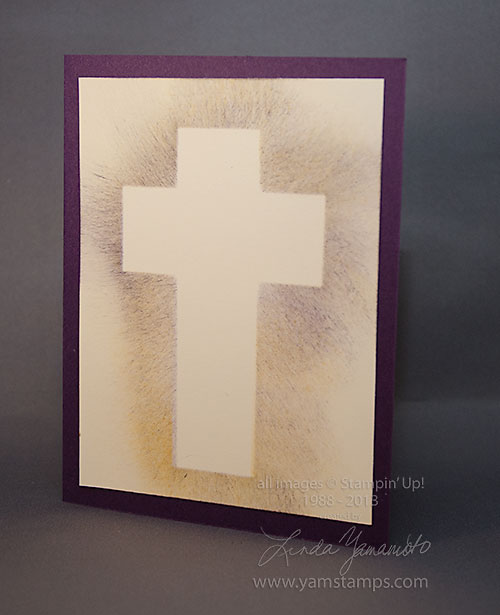
Frugal Friday is a semi-regular occurrence here on www.yamstamps.com – showing you how to stretch your crafting dollars! I have a video today to share, showing how to create an Easter card even if you don't have any specific Easter stamps. This card could also work for Baptisms, Christenings, First Communions…you get the idea…
I didn't do a commentary for this video, it's pretty self-explanatory, though I did add some captions.